When you create a new Shopify store. The store comes with Shopify default shipping zone. This will usually be a single region zone, linked to your location.
In order to ensure that you can sell to other Markets you need to create shipping zones.

Go to your Shopify dashboard, click on Settings
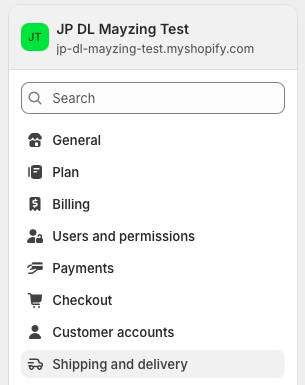
Click on Shipping and Delivery
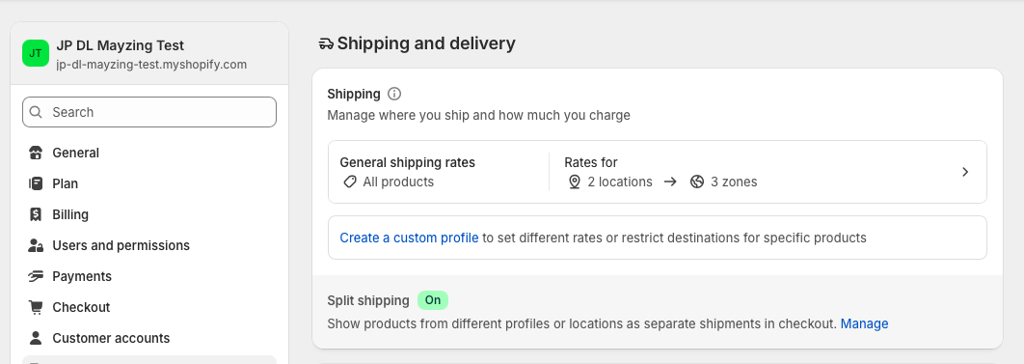
This will show you your current Shipping settings. Click on the Arrow in the General Shipping Rates section.
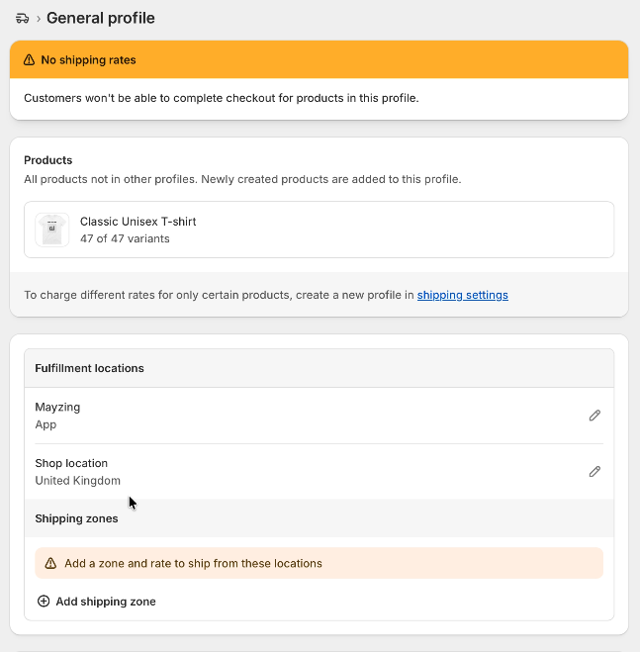
You will now see the settings for the General Shipping Settings. Where you will see that there are currently no zones set.
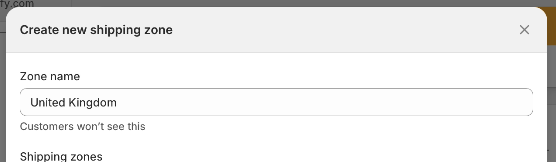
Click add a shipping Zone, this brings up a country selector for you to choose which countries this zone will ship to. Give the Zone a name. In this example we will add United Kingdom.
Now search for the zone, in the search box type United Kingdom.
Tick United Kingdom. You can expand it here to see which regions are within that zone.
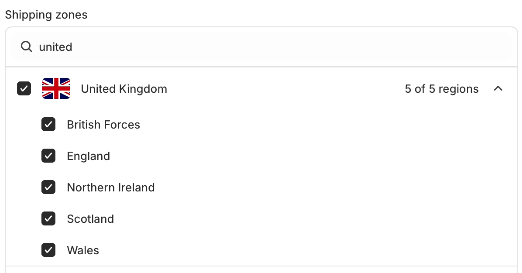
Press done.
You will see a message showing that there are no Rates set for this zone yet.
Click on Add rate.
Add your pricing for Standard Shipping. Press Done.
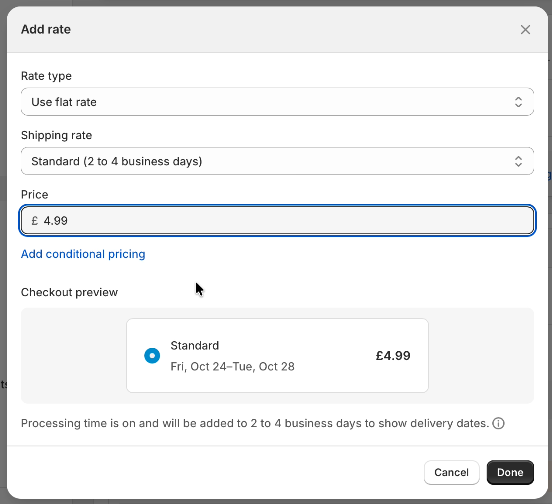
Click on Add Rate again.
Lets Create a zone for Europe by repeating the process.
Repeat again if you want to add any other Shipping Zones like North America or Oceania.
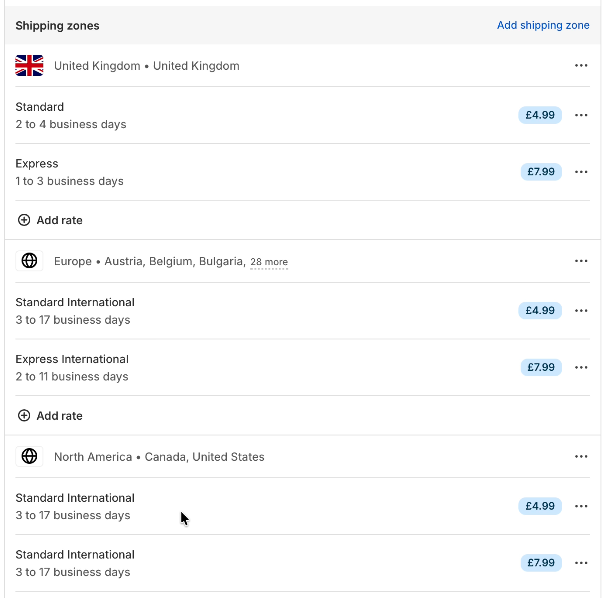
Once you have added all the zones you need, and are happy with the shipping costs. Press Save.
Your Shipping and delivery setup is now complete.
