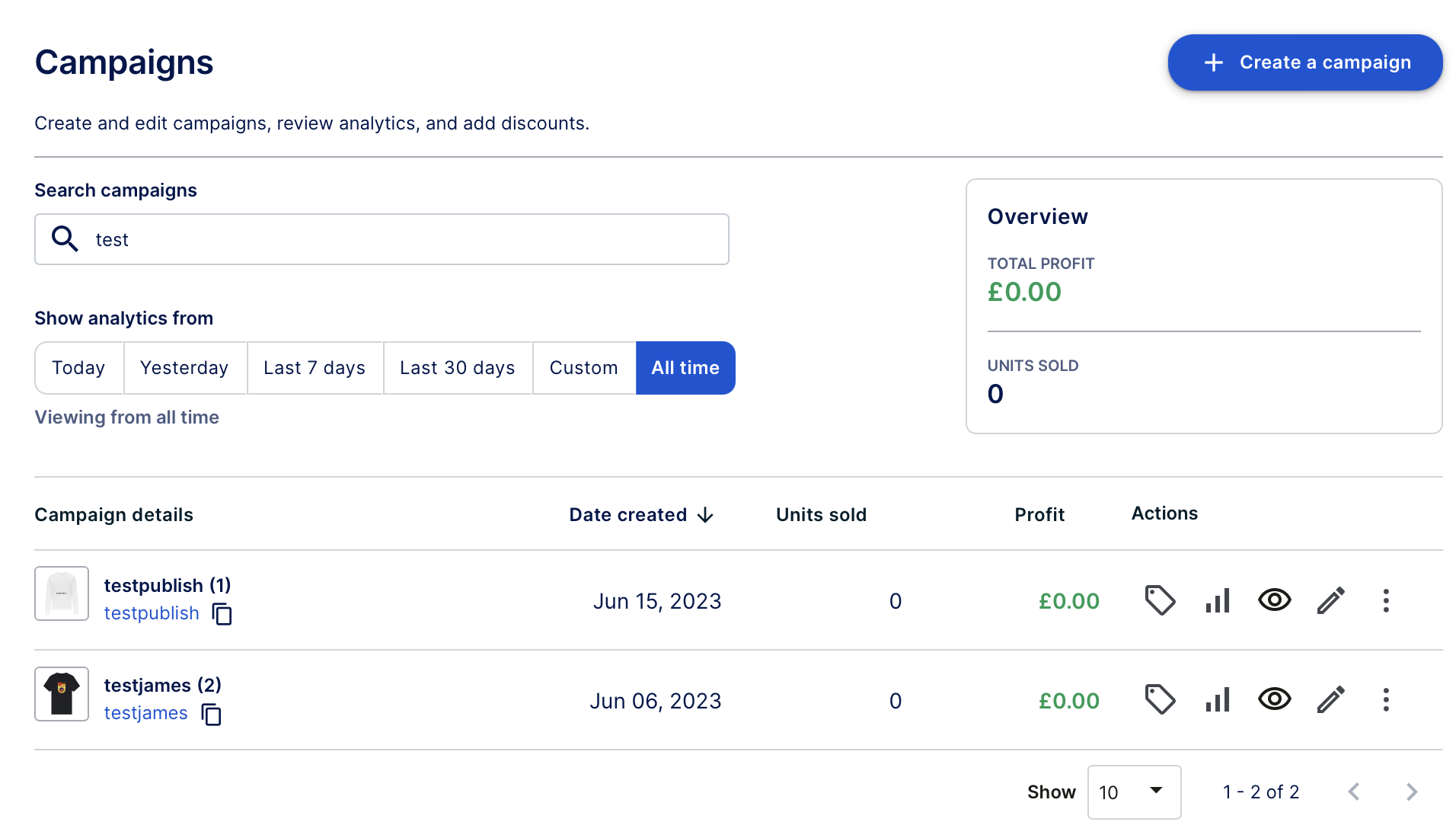
Login to your seller dashboard.
In the top right hand corner click on the drop down arrow next to your profile picture
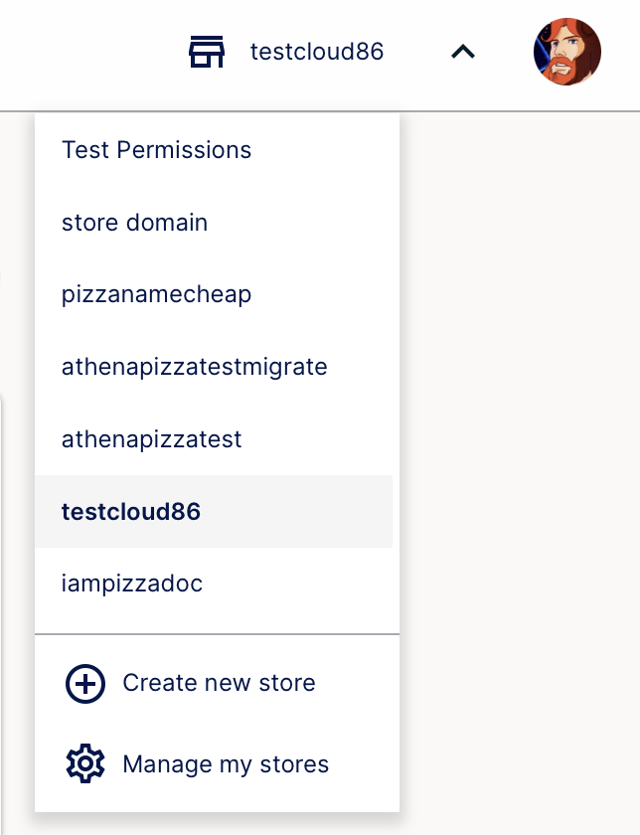
Click the store you wish to perform the cleanup action in
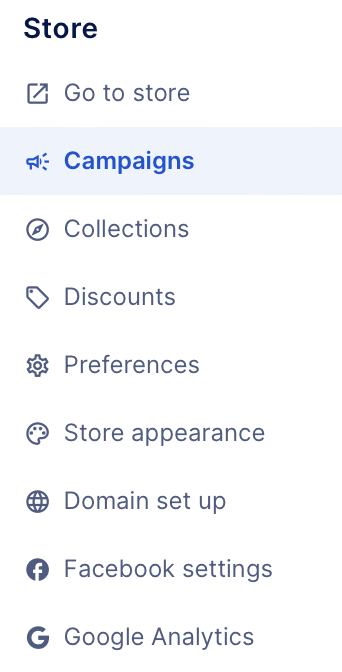
On the left side navigation bar click on campaigns.
You are able to search for the campaign here if you have a lot to search through by typing the campaign name in the search bar.
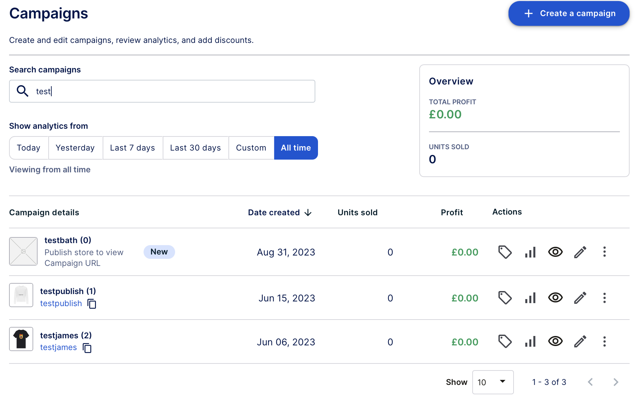
Click on the three dots to the right handside of the campaign you want to delete. This will bring up a box with more options.
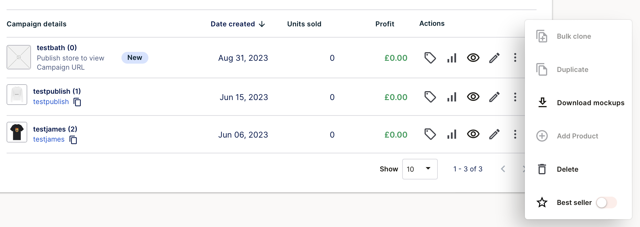
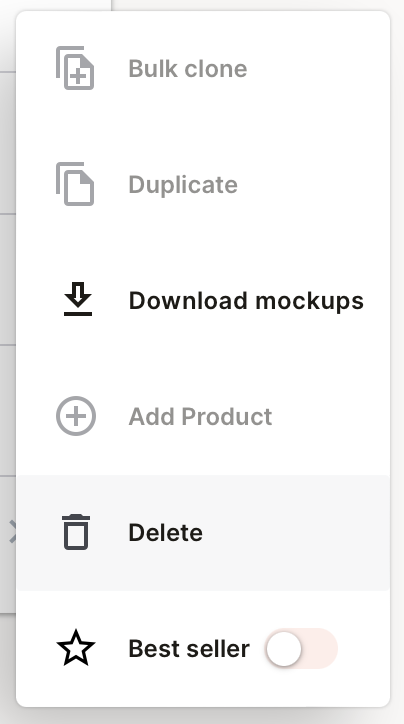
Click the delete button.
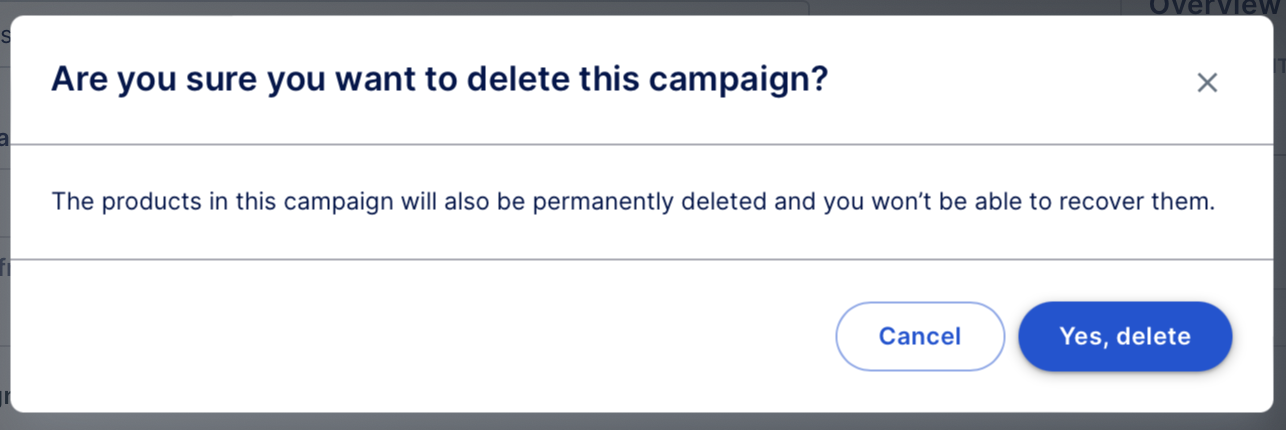
A warning will pop up asking you to confirm this is what you want to do. If you wish to back out press cancel, or if you wish to proceed, press Yes, delete
If you press delete, you will be returned to the campaign screen, where you will see the campaign you chose to delete has been deleted.