To use catalogue export, follow the steps below.
In the Mayzing dashboard, go to Campaigns.
Select the campaigns you want to export, by checking the boxes to the left of each campaign
The catalogue export button will show.
Open image-20251209-151831.png
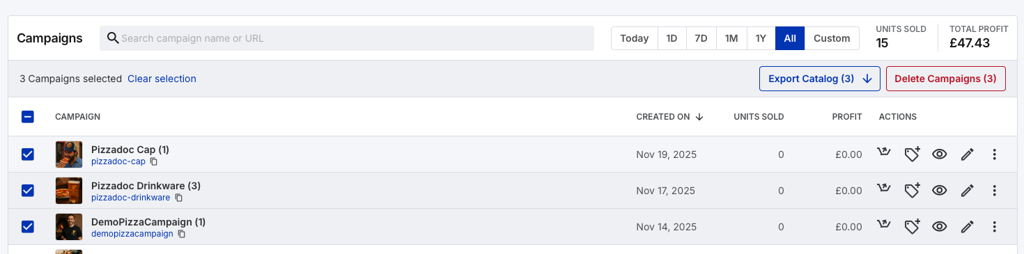
Press Export Catalogue.
Your download will start.
Once completed, download it and go to Meta Commerce Manager
Upload the export you created in step 4.
You're now ready to to launch Dynamic Ads.
