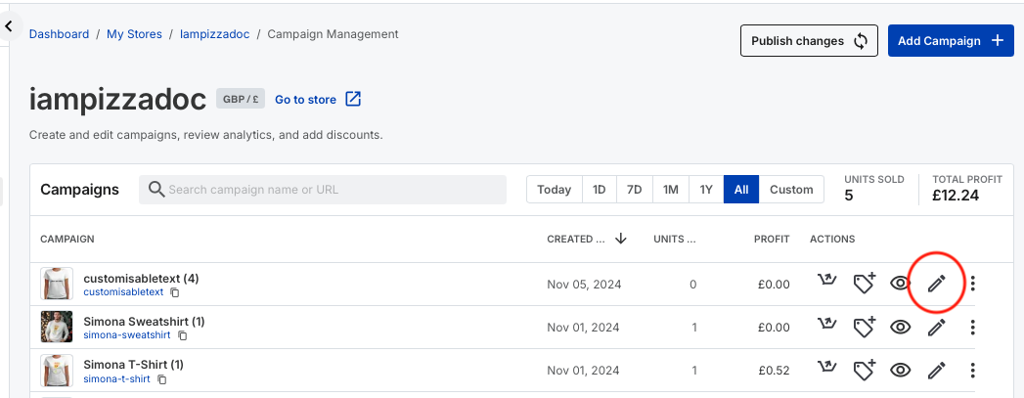
On the campaigns screen, select the campaign you wish to modify the cover product for, by clicking on the edit campaign button.
You will be taken in to the edit campaign screen.
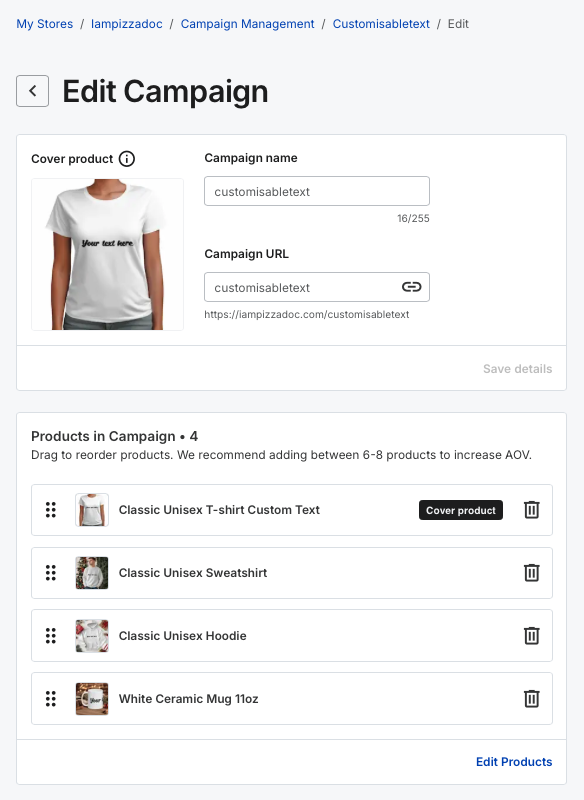
You can see in the image above that the cover product is the Classic Unisex T-shirt
For the product you want to make the cover product, click and hold on the 6 dots to the left of the thumbnail, and drag it to the top of the list.
You will get a confirmation pop up, and see the list re-order.
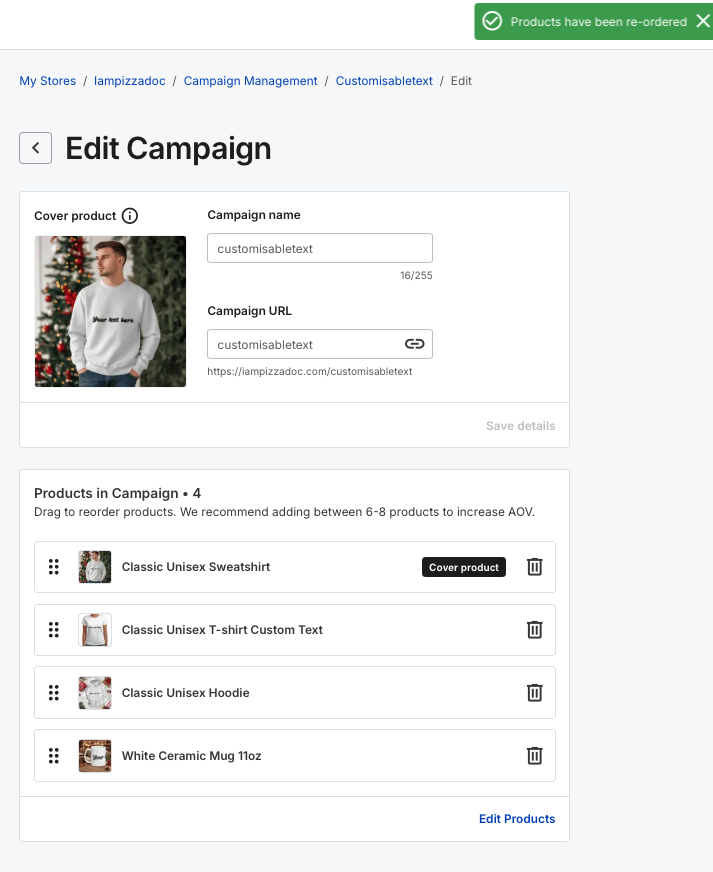
The cover product will also change.
To make the changes live on your store, press the Publish changes button.