Login to your store, and select the team account.
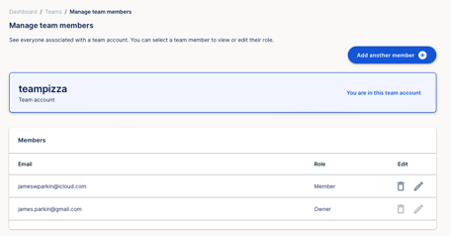
Click on team members on the left side navigation panel.
Find the team member you wish to delete, and click the bin/trash can next to their name.
You will get a message confirming the user will no longer have access to the account. If this is ok, then press remove.
The member has now been removed.
