Go to the Mayzing Dashboard
Click on payouts.
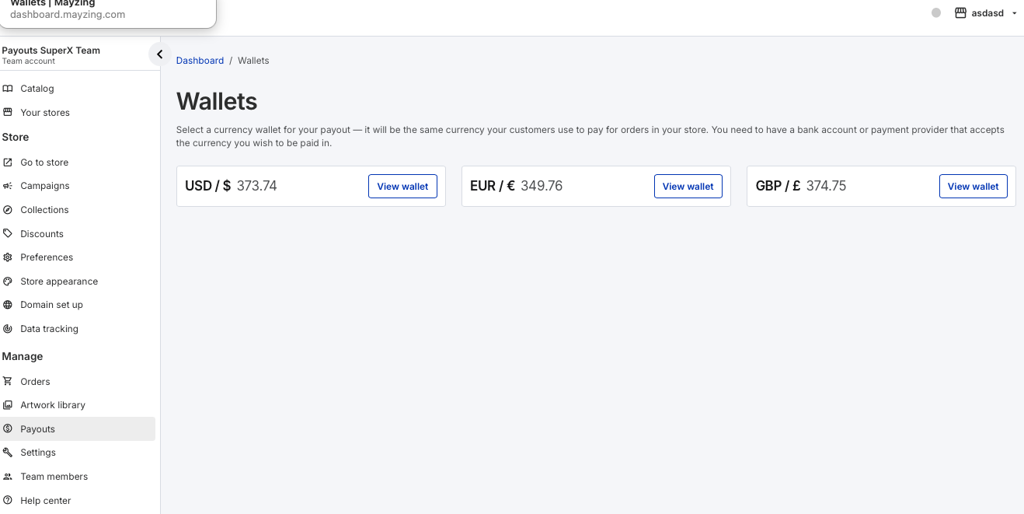
Click on the wallet you want to change the Payoneer account for.
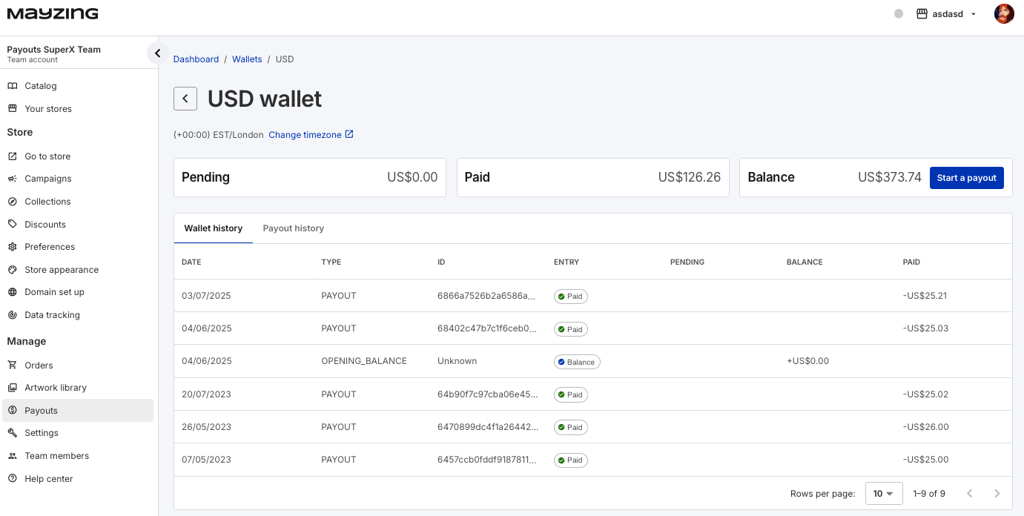
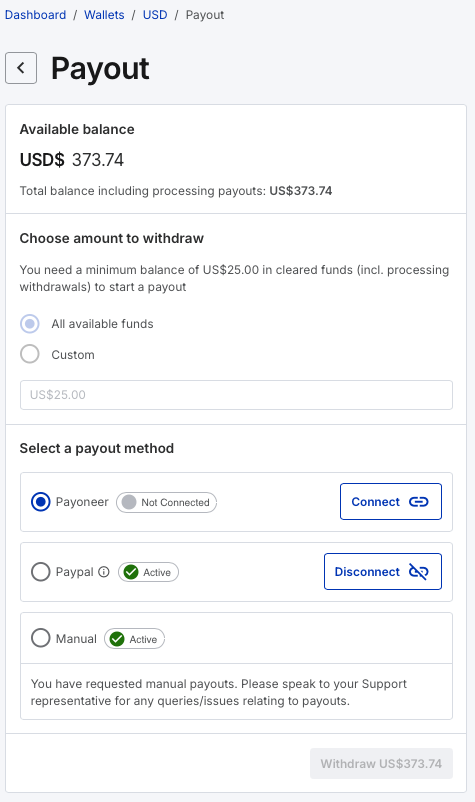
Press start a payout, to take you in to payout screen.
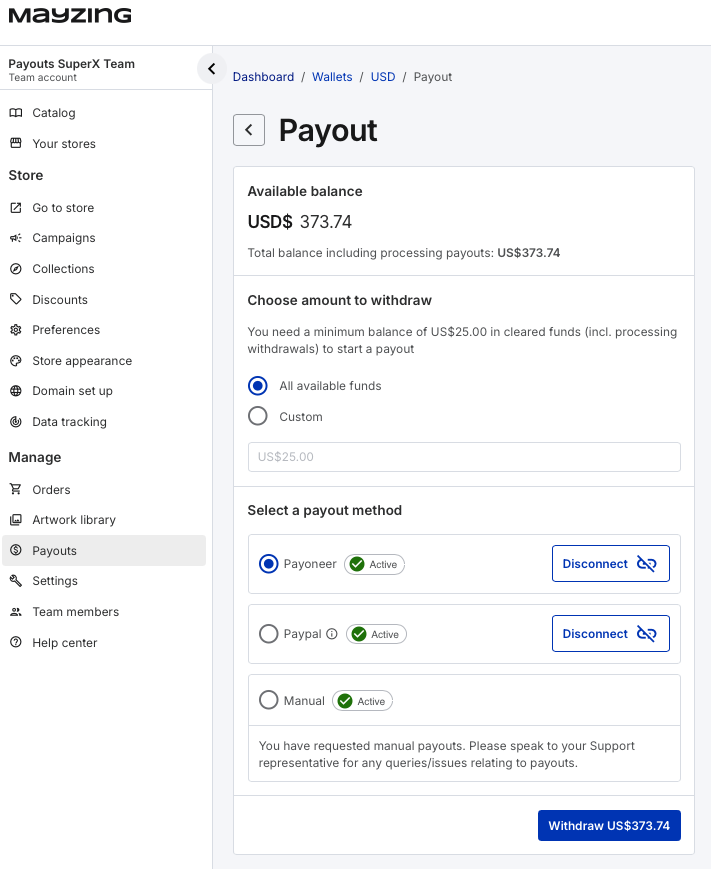
Scroll down to Select a payout method, and find your payoneer account
Click disconnect.
A popup will ask you to confirm you want to disconnect your payoneer account.
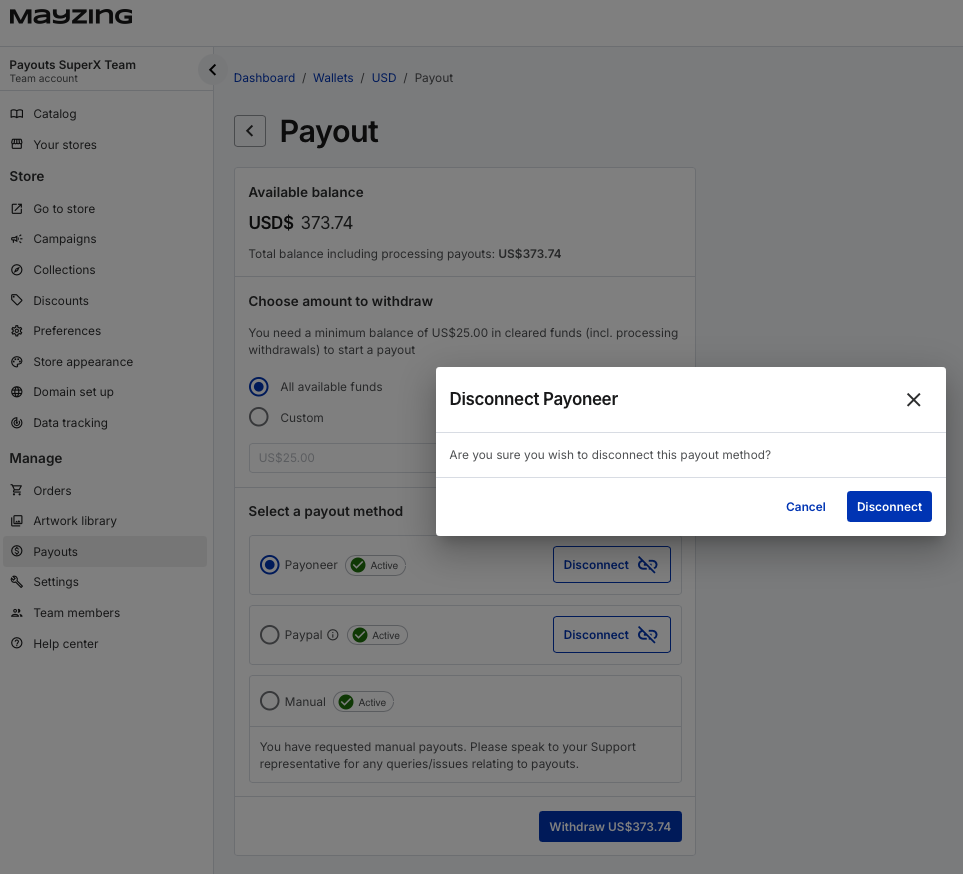
Click Disconnect
You will be returned to the payout screen, and your Payoneer account will be disconnected. There can be a small delay here, press refresh to check it has been disconnected.
To connect your new payoneer account, you can follow the below article.
Connecting your Payoneer Wallet
In order to withdraw your profits. You can connect your Mayzing account to a Payoneer account. It's really simple to do. Just follow the below steps
