
Depending where your bank is it may take up to 3-5 days to clear after we pay out. And we can’t control any fees your bank may charge you.
To do this follow the below steps.
Login to your seller dashboard.
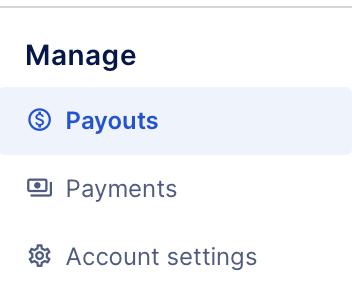
On the left navigation bar, towards the bottom under the Manage section, click Payouts.
Your wallets will be displayed. They will show the current balances of funds that are available to withdraw.

Click on the View Wallet button for the wallet you wish to make the payout from. You will be taken in to that wallet.
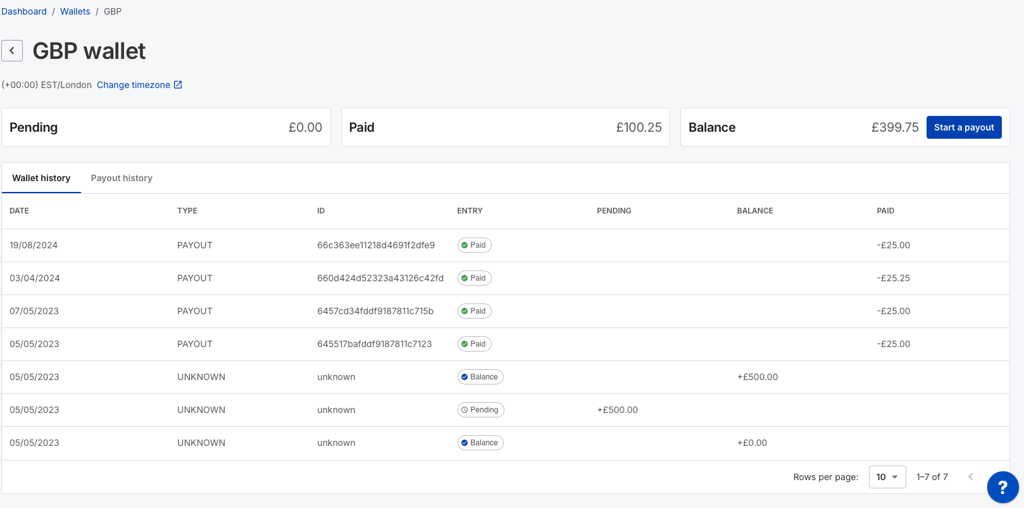
As long as your wallet balance is greater than $100, £100, or €100. You will be able to start a payout. Press the Start a Payout button.
You can choose to withdraw all available funds here, or select a custom amount. If you select the custom amount, you will be asked how much you wish to withdraw here. Please remember the minimum amount you can enter here is 100.00.
Select the manual payout option.
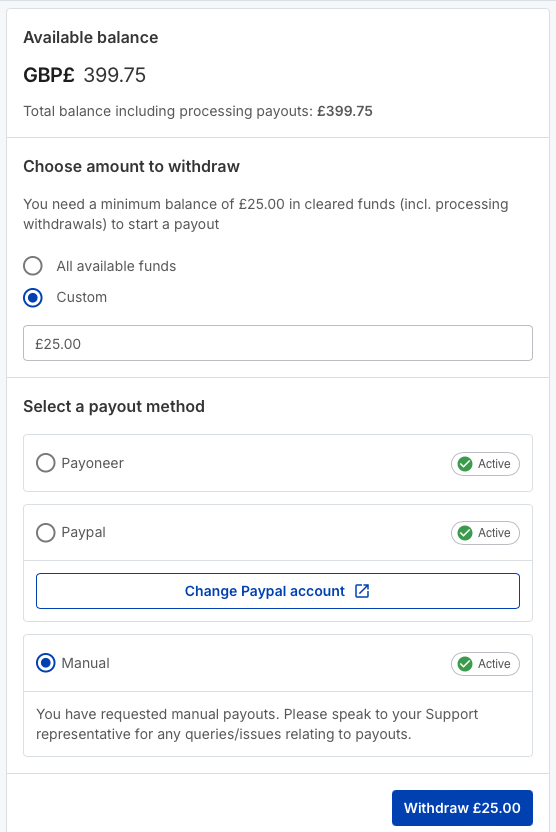
When you are ready to make the payout, press the Withdraw button.
You will see a small success message appear at the top of the screen.

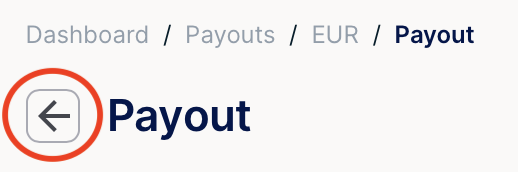
Press on the back button to be returned to your wallet.
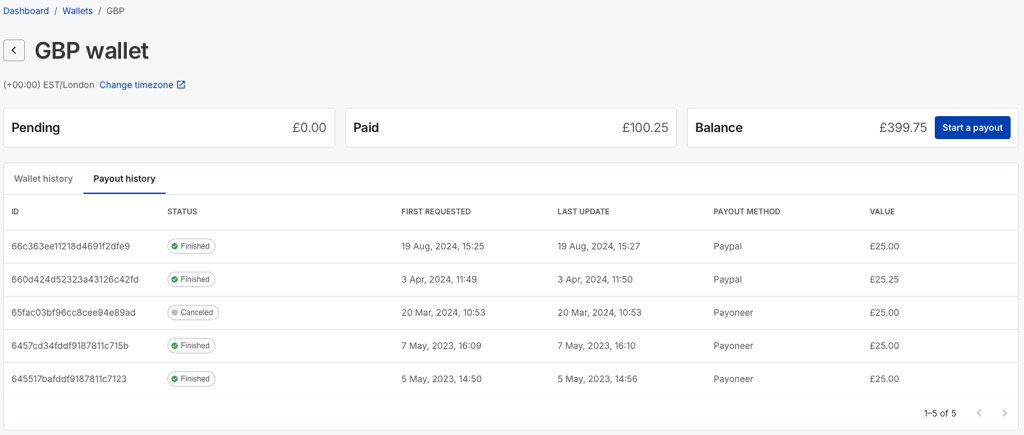
Press on the payout history tab in that wallet to see the status of this new payout request (and any historical requests).
IMPORTANT Now you need to follow up the payout request with an email to [email protected]. The email must contain the following information;
The exact currency you have asked to withdraw.
The exact amount in that currency you have asked to withdraw.
The bank details for the account you wish to have the payment made to.
If the email is not sent, or the details of the payment do not match the amount you have requested in the dashboard, then the payout will be rejected, and the money will be returned to your wallet.
Once the payment has been approved, the status in your payout history will change to finished, your balance will be reduced by the paid out amount, and the paid balance will increase by the paid out amount.
